It’s probably old news for everyone that we now got the opportunity to use WiFi on the 6 Ghz spectrum. Being occupied with a big SD-WAN project lately i finally got my first WiFi6E experience.
A lot of benefit with WiFi6E comes from just getting the opportunity to use new spectrum, but also the fact that we now have zero legacy clients to care about.
Depending on where in the world you live, you will get the following spectrum to use:

(Borrowed from WiFi Alliance homepage – https://www.wi-fi.org).
Another important part of WiFi6E is WPA3 being mandatory with no possibility to use WPA2. An important step to take since there is still a lot of WPA2 network out there supporting WPA3 but not using it.
So setting up my first WiFi6E SSID with an Cisco Catalyst 9166I AP connected to a Cisco Catalyst 9800 controller.
Here is some pictures from the GUI when setting up the SSID:
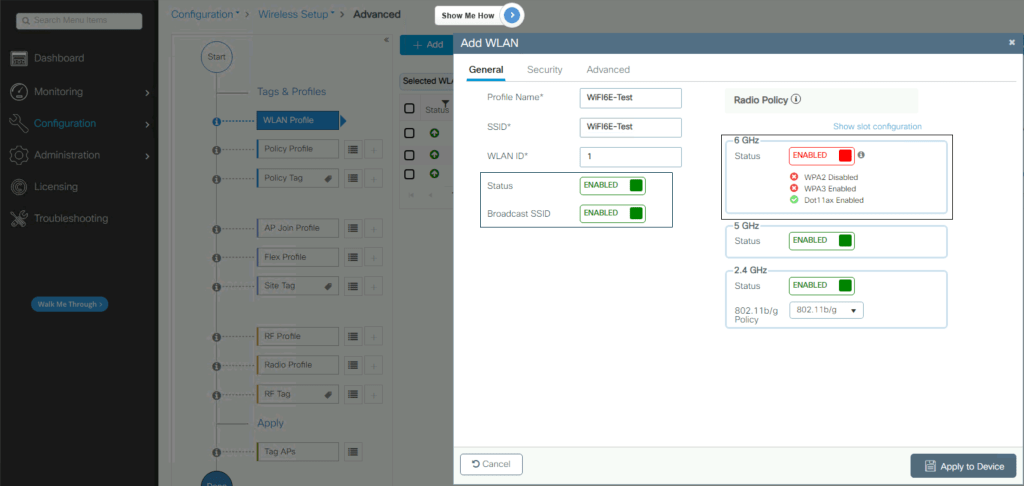
Making sure to enable the new SSID and enable it on 6 GHz. As u can see u get warning regarding the security settings making it almost impossible to configure it wrong. Lets check the security tab to have a deeper look:
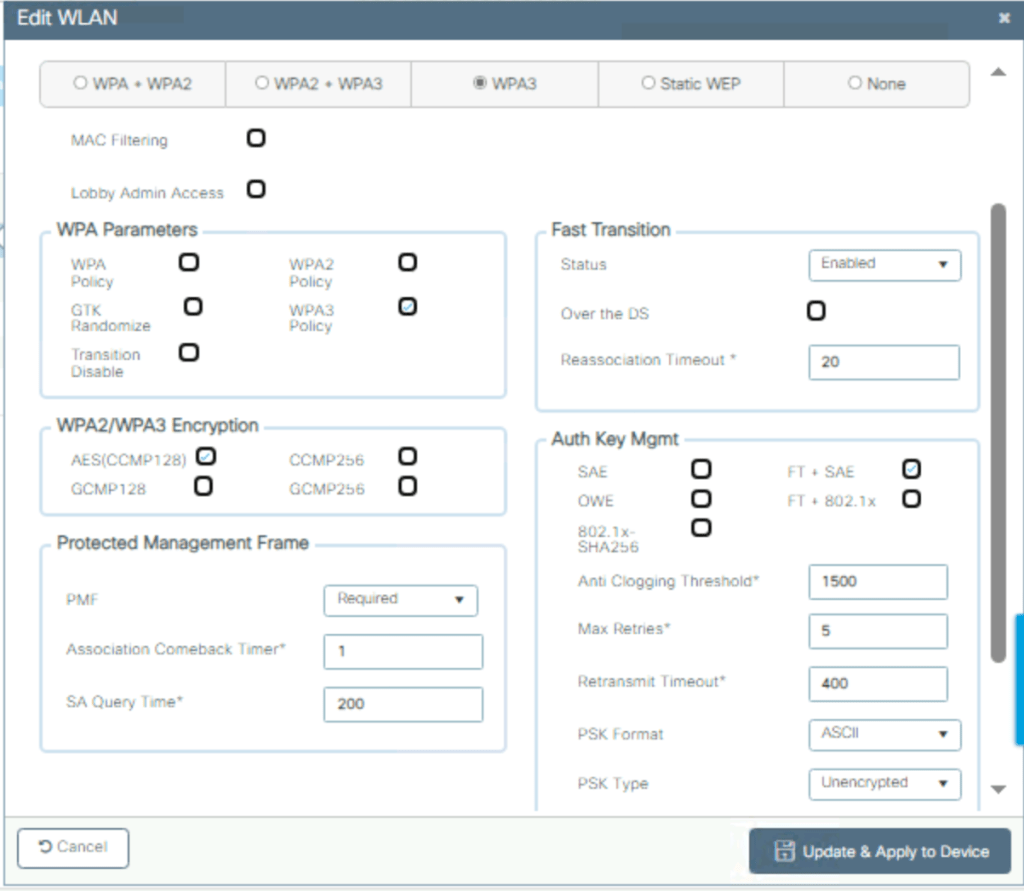
Since i will configure an SSID using WPA-3 Personal or WPA3-SAE as it’s also called, AES(CCMP128-bit encryption) is standard.
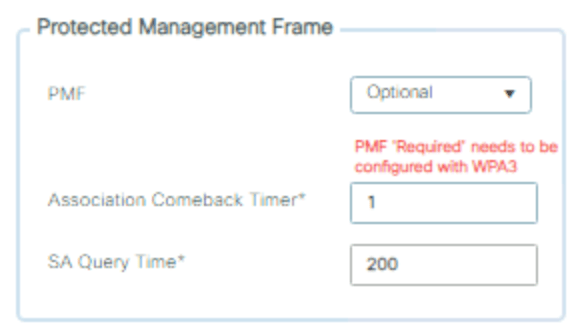
Choosing something else then “Required” under Protected Management Frame will give an error warning since PMF is required in WPA3. Remember that if u want to configure an SSID with WPA3-SAE Transition mode and get the possibility to support WPA2-Personal and WPA3-SAE on the same SSID, this should be done under WPA2+WPA3 tab. In this case I will try a 6 GHz only SSID with Fast Transition Enabled.
Depending on if u want the SSID to enable Fast Transition or not, u will choose Auth Key Mgmt “SAE” if disabled, and “FT + SAE” if enabled.
Here is a quick look from Ekahau Analyzer looking at the new SSID @ a 160 MHz wide channel. In Europe we will not be able to use this wide channels in enterprise designs but at home it feels really good being all alone @ 6 GHz.

 WiFiSwede
Leave a comment